version v7.2.
For up-to-date documentation, see the
latest version.
How to Enable GitLab Dependency Scanning
3 minute read
.
Add to your pipeline
Add the following to your .gitlab-ci.yml and push to your repository:
include:
  - template: Jobs/Dependency-Scanning.gitlab-ci.yml
To avoid cloning the repository locally, GitLab can generate this change for you. Requires Maintainer role. Go to Secure > Security configuration , find the Dependency Scanning row, and select Configure with a merge request .

Inventory your dependencies
Dependency list
GitLab maintains a navigable inventory of all detected dependencies, populated from the most recent successful pipeline on the default branch. Go to Secure > Dependency list to browse dependencies by name, version, and license, and check whether any known vulnerabilities affect them.
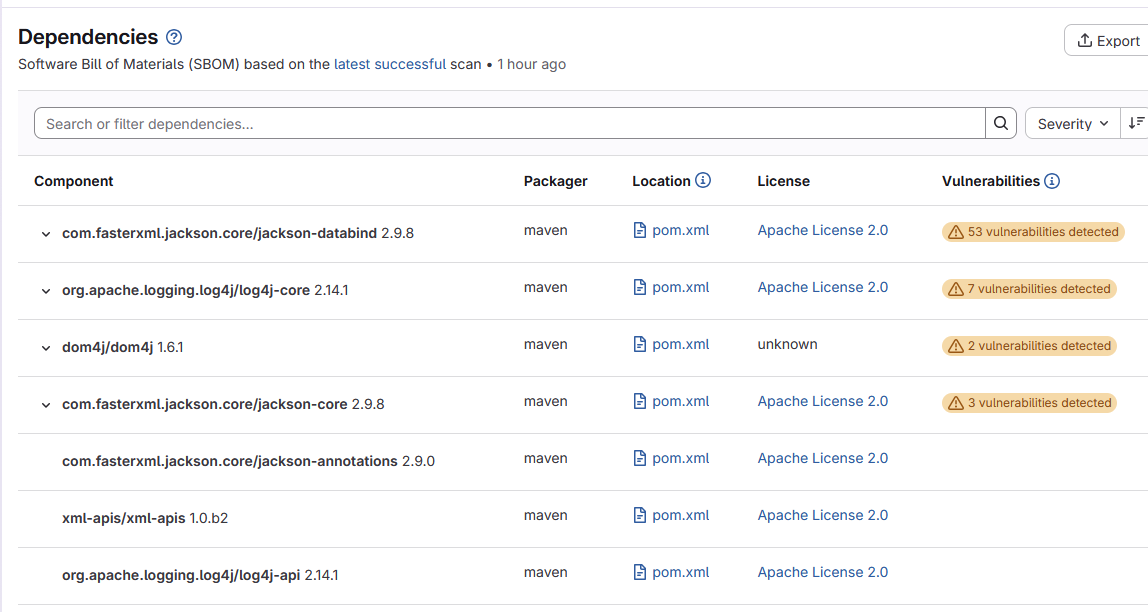
See GitLab Dependency list documentation for details.
SBOM
Dependency Scanning automatically produces a CycloneDX SBOM for each supported lockfile or dependency manifest found in the repository. No additional configuration is required.
Each SBOM is available as a pipeline artifact.
To download it, go to
Build > Artifacts
and select the scanner job
(for example gemnasium-maven-dependency-scanning).
GitLab downloads an artifacts.zip archive containing the file
gl-sbom-<package-type>-<package-manager>.cdx.json.
For the role of the SBOM in supply chain compliance (CRA, NTIA), see SBOM practice .
See GitLab Dependency Scanning SBOM documentation for details.
Manage licenses
License data is populated automatically as part of the Dependency Scanning pipeline. No additional configuration is required.
View license information
Each dependency’s detected license is visible in the Dependency List. Go to Secure > Dependency list and inspect the License column.
For background on license categories, compliance obligations, and Thales resources, see the License practice .
Configure a license approval policy
A License Approval Policy lets you require approvals or block merging when a pipeline introduces a dependency with a disallowed license.
To create a policy, go to Secure > Policies , select New policy , choose Merge request approval policy, then select Select policy .
A typical rule targets disallowed licenses:
If a security scan using Dependency Scanning runs against the default branch and finds a dependency with a license matching AGPL-3.0 or GPL-3.0, then require 1 approval.
See GitLab License Approval Policies documentation for the full configuration reference.
Analyze vulnerabilities
See results
After a pipeline runs, results appear in three places:
MR security widget Visible directly in the merge request, it lists new vulnerabilities introduced by the branch compared to the default branch.

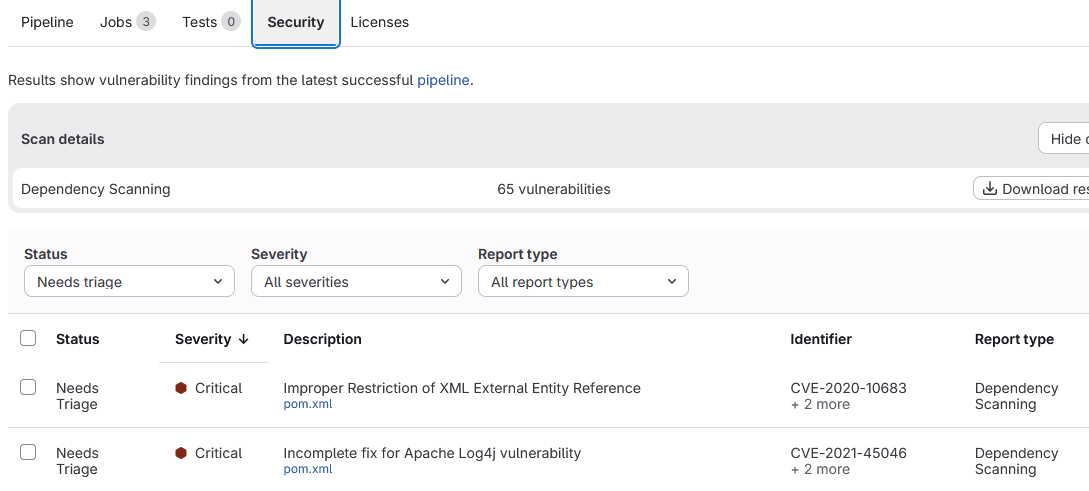
Pipeline security report Go to Security in the pipeline detail page to see all findings detected in that pipeline run, regardless of branch.
Vulnerability Report Go to Secure > Vulnerability report for a consolidated view of all open vulnerabilities in the project, with filtering and triage workflows.
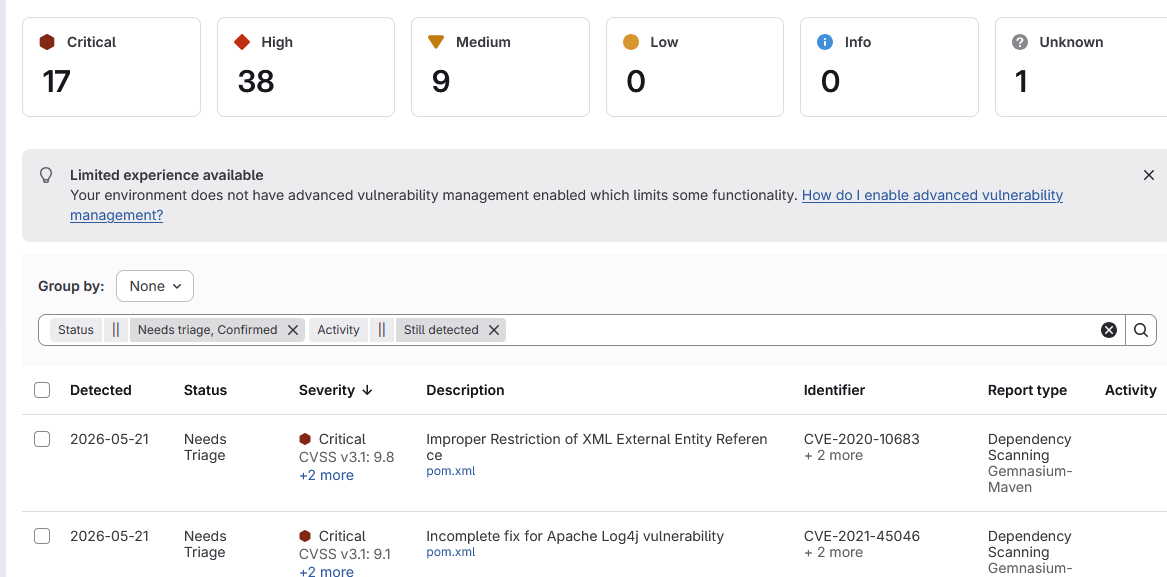
The Vulnerability Report only reflects results from the default branch. Vulnerabilities found in feature branches do not appear there until they are merged.
Configure an MR approval policy
A Merge Request Approval Policy lets you require approvals or block merging when a pipeline introduces vulnerabilities above a defined severity threshold.
To create a policy, go to Secure > Policies , select New policy , choose Merge request approval policy, then select Select policy .
A typical rule targets Dependency Scanning findings on the protected branch:
If a security scan using Dependency Scanning runs against the default branch and finds a vulnerability with severity High or Critical that is Newly detected, then require 1 approval.
GitLab stores policy configurations in a dedicated Security Policy Project, a separate repository created automatically the first time you save a policy.
See GitLab MR Approval Policies documentation for the full configuration reference.