The site that you are currently viewing is a static version of the Software Factory
documentation delivered with the
version v7.2.
For up-to-date documentation, see the
latest version.
How to Enable GitLab SAST
Enable GitLab SAST on your project to detect vulnerabilities in your source code.
less than a minute
For more information, see SAST practice
.
Configure your pipeline
Add the following to your .gitlab-ci.yml and push to your repository:
include:
  - template: Security/SAST.gitlab-ci.yml
Tip
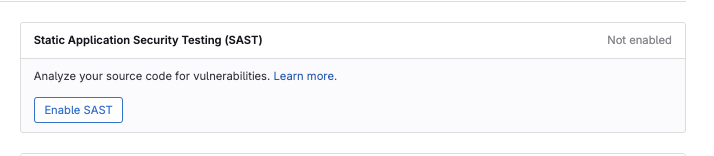
To avoid cloning the repository locally, GitLab can generate this change for you. Requires Maintainer role. Go to Secure > Security configuration , find the Static Application Security Testing (SAST) row, select Enable SAST , then Create merge request .
(Optional) To exclude specific directories from the scan, add a variables section:
variables:
  SAST_EXCLUDED_PATHS: venv/
(Optional) To activate Advanced SAST and enable cross-function and cross-file taint analysis:
variables:
  GITLAB_ADVANCED_SAST_ENABLED: 'true'
Note
You can find a Feature comparison between Basic and Advanced SAST.