version v7.2.
For up-to-date documentation, see the
latest version.
Committing
4 minute read
Introduction
A commit is a snapshot of changes made to the files in your repository. Commits are more than just snapshots — they tell the story of your project. A clear and well-structured commit history helps others (and future you) understand what changed, when, and why. It simplifies debugging, eases code reviews, and makes collaboration more effective.
In the Software Factory, we use Git as our SCM tool. The practices described here apply to any SCM system, while Git-specific features are highlighted where relevant.
Guidelines
- Make Atomic Commits
Each commit should capture a single, meaningful change. This makes history easier to understand, debug, and revert. - Write Clear Messages
Summarize what was changed and why. Focus on clarity and context. See Commit message conventions - Commit Regularly
Break work into small, manageable commits.
Avoid large, monolithic changes that are harder to review. - Commit Tested Changes
Ensure the code is functional and complete before committing, to keep the main branch stable.
Commit message conventions
A commit message is composed of a subject and a body separated by an empty (blank) line
The subject
- describes the intent of the commit.
- starts with a capital letter.
- must not be longer than 72 characters.
- must not end with a period.
You can use Conventional Commits to express the intent of your changes and automate rule enforcement with the commitlint tool and related nextgen-cicd step .
<type>[optional scope]: <subject line>
The body
- must not contain more than 72 characters per line.
- explains the why
- describes the changes if the commit changes 30 or more lines acroiss at least 3 files
If a commit is related to a ticket or issue from a tracking system,
include the reference (e.g., #123, JIRA-456) in the commit message.
This helps provide context about the why behind the change.
However, the referenced ticket may become unavailable or too lengthy to consult.
For this reason, it’s often helpful to include a brief summary
of the reasoning directly in the commit.
If the change is not linked to any ticket or issue, explaining the why becomes mandatory.
The commit message must clearly state the rationale behind the modification.
When using GitLab, you can take advantage of merge commits to automatically include the Merge Request and issue number in your commit messages. This helps in keeping track of related issues and merge requests without manually adding their numbers. GitLab intelligently parses these references, ensuring better traceability in your project.
Using a commit message template
A commit message template helps you follow conventions consistently by providing a pre-filled structure and reminders directly in your editor when you commit.
See How-to configure Git commit message template to set up a template for your Git repositories.
Amending previous commits
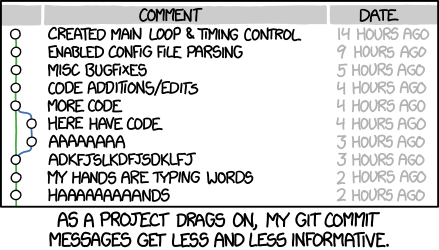
When you need to correct or improve a previous commit, avoid leaving “fix typo” or “oops” commits in your final history. Instead, merge the correction into the original commit to keep your history clean and meaningful.
Two common scenarios:
- Correcting the last commit: Directly amend the most recent commit with your fix.
- Correcting an older commit: Create a temporary commit prefixed with
fixup!followed by the original commit’s subject. This signals the intent to merge it later during a rebase.
Git provides built-in support for both workflows:
# Amend the last commit directly
git commit --amend

# Create a fixup commit for an older commit, then rebase to merge it
git commit --fixup abc1234
git rebase -i --autosquash main
Commit content
Commits should only include relevant source files and configuration necessary for building and running the project.
To avoid polluting the repository with unnecessary or sensitive files, use an ignore file
(.gitignore in Git) to exclude items such as local configuration, build artifacts,
dependencies, and IDE-specific files.
Avoid Committing Large Files by using .gitignore to exclude files that don’t need to be versioned.
Store everything needed to build the product in the repository, but not the build products themselves.
Generated code (e.g., compiled assets, auto-generated files, or API clients) should generally
not be committed unless there’s a clear and documented reason.
Committing generated code can introduce noise in diffs, increase the risk of merge conflicts, and
make the history harder to follow.
For large binary files (e.g., media, models, datasets), consider using Git LFS
.
Git LFS stores large files outside the repository while keeping lightweight references in Git, which
helps keep clone size manageable and performance stable.