version v7.2.
For up-to-date documentation, see the
latest version.
Secret Detection
2 minute read

Code may use secrets to integrate with external services, such as webservices or databases. These secrets can take various forms, including passwords, API keys, and SSH keys.
If this sensitive information is committed to a source code repository, it may become accessible to anyone who accesses the repository, posing a significant security risk.
To mitigate this risk, GitLab provides a Secret Detection tool that scans your codebase for sensitive information (check [full list of supported secret types]) and alerts you to potential security issues.
Secret Push Protection
Secret push protection scans commits for sensitive information during GitLab pushes. If secrets are detected, the push is blocked to prevent them from reaching the repository.
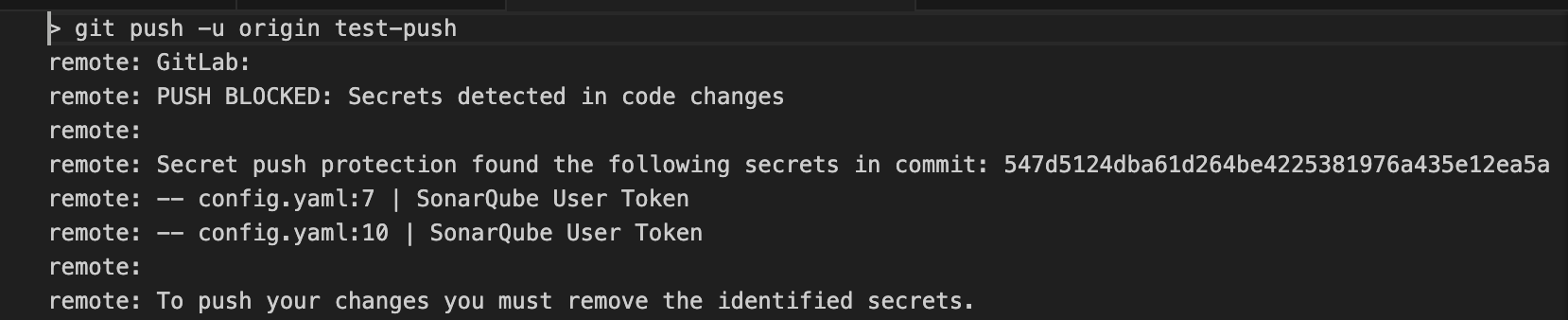
See how to enable secret push protection .
Pipeline Secret Protection
This secret detection will scan your GitLab repository for secrets. This allows you to find secrets that have already been committed to your repository.
See how to enable pipeline secret detection .
Custom Secret
The scanner configuration for secret detection is designed to detect a specific set of common secrets. Your team may have other secrets patterns not currently covered by the default secret detection list.
GitLab allows you to create a custom ruleset for your secret detection scanner.
Find how to define a custom ruleset to your secret detection scanner.